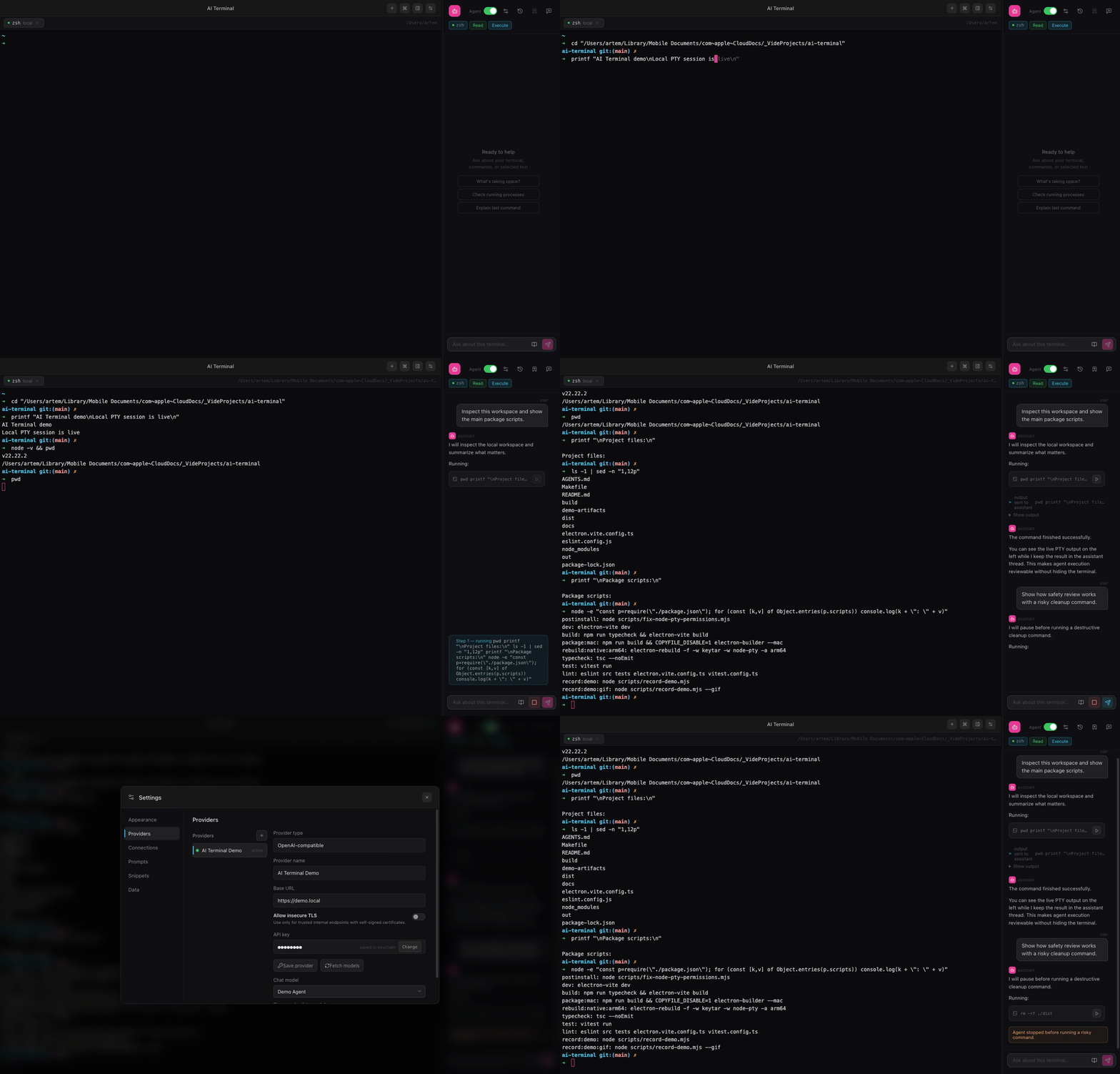
Explain failing output
Select text, use recent output, or share the current session so the assistant can explain errors without a browser detour.
 Taviraq
Open-source · macOS-first · local + SSH
The AI terminal that asks before rm -rf, masks secrets, and runs on your own keys.
Taviraq is a real macOS terminal with a built-in AI assistant. It explains local and SSH output, proposes the next command, and pauses risky actions at a safety gate — using OpenAI-compatible providers, Ollama, or LM Studio that you control.
Core workflows
Select text, use recent output, or share the current session so the assistant can explain errors without a browser detour.
Ask for a focused next step, review what it does, then approve execution only when the command makes sense.
Diagnose remote shells with context, while destructive or ambiguous commands still stop at an in-app safety gate.
Safety and control
Taviraq is designed around explicit context and approval. It does not need to be another chat window pretending to be a terminal.
rm -rf dist build .cache
Connect OpenAI-compatible APIs, Ollama, or LM Studio. Use separate models for chat and command-risk classification.
Choose selected text, recent output, or the current session. The assistant sees what you decide to share.
Tabs, searchable output, clickable links, themes, command snippets, prompts, and a compact assistant sidebar.
Non-secret settings live in app data. Secrets stay in Keychain. Local models are one provider choice away.
Install
Current release builds are unsigned test builds, so macOS may show an unidentified developer warning.
git clone https://github.com/Doka-NT/Taviraq.git
cd Taviraq
make build
Roadmap